vSphere 7 – Announcing General Availability of…

vSphere 7 – Announcing General Availability of the New Generation of vSphere
vSphere 7 – Announcing General Availability of…

vSphere 7 The new generation of vSphere for existing enterprise apps. Available in two editions. VMware vSphere 7, the new generation of vSphere, is now generally available. This major new release brings a massive improvement in the work experience of vSphere administrators, folks who are responsible for the security, performance, and resiliency of the infrastructure The post vSphere 7 – Announcing General Availability of the New Generation of vSphere appeared first on VMware vSphere Blog.
VMware Social Media Advocacy

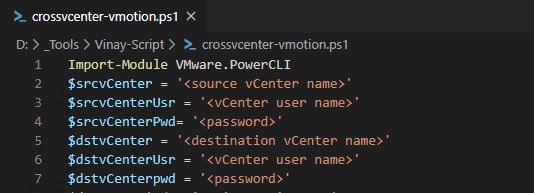
Migrate VM between two vCenter joined to different SSO domain

Cross vCenter vMotion capability have been introduced sine vSphere 6.0. But, what if vCenter servers are joined to different SSO (single signon) domain. You will not get option in GUI to migrate VM to different vCenter then. So, is it still possible to do migration between them. In this blog, we will see how to migrate VM in such scenario.

Continue reading “Migrate VM between two vCenter joined to different SSO domain”

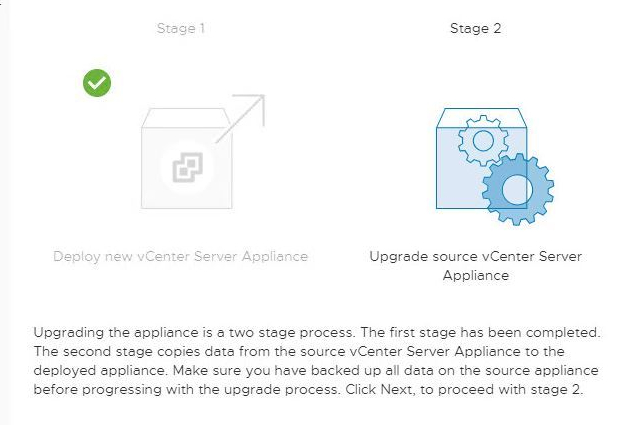
Upgrade vCenter Server Appliance 6.0.x to 6.7 U3

So, one of target to achieve VCAP-NV was completed successfully. Now, its time to upgrade lab as well, as old lab was running on VCSA 6.0 and VMware has recently released 6.7 U3. This blog will explore step by step process to upgrade vCenter server appliance. This upgraded lab will serve for NSX-T deployment as well.

Continue reading “Upgrade vCenter Server Appliance 6.0.x to 6.7 U3”

Removing Stuck NSX Controller using API Calls

So, its been a while i have written anything. Got so many projects in line waiting for their turn. So, blogs will be much more regular from now on, now that life is sorted out and back on old track we are. Now, without wasting any time let’s get started with our first blog of season.

Continue reading “Removing Stuck NSX Controller using API Calls”

The New VMware Workspace ONE and VMware Horizon…

The New VMware Workspace ONE and VMware Horizon Reference Architecture Incorporates Cloud, On-Prem, and Multi-site Design

The New VMware Workspace ONE and VMware Horizon…

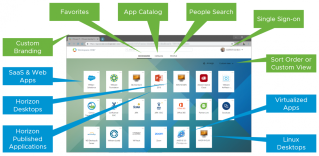
The VMware Workspace ONE and VMware Horizon Reference Architecture is now available and is a must read for anyone considering, designing, or undertaking a digital workspace project using VMware Workspace ONE, VMware Horizon 7, or VMware Horizon Cloud Service on Microsoft Azure. The VMware Workspace ONE and VMware Horizon Reference Architecture guide provides a framework and guidance for architecting using Workspace ONE and Horizon, whether using […] The post The New VMware Workspace ONE and…Read More


VMware Social Media Advocacy

vRealize Lifecycle Manager – A Step by Step Guide

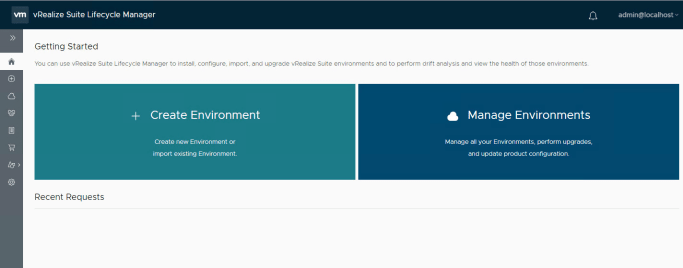
Finally deployed and configured vRealize lifecycle manager over a week. Imported vRealize automation as well as deployed new components. This blog covers my journey in form of step by step guide on vRealize Lifecycle Manager. So let’s get started.

Continue reading “vRealize Lifecycle Manager – A Step by Step Guide”

Announcing General Availability of Google Cloud…

Announcing General Availability of Google Cloud Plug-in for VMware vRealize Automation

Announcing General Availability of Google Cloud…

The Google Cloud Plug-in for VMware vRealize Automation is now available for download on VMware Solution Exchange (VSX)! Google Cloud Plug-in for VMware vRealize Automation As announced last year in July, Google Cloud and VMware have been collaborating to develop a native integration between Google Cloud and VMware vRealize Automation via a Google Cloud plug-in The post Announcing General Availability of Google Cloud Plug-in for VMware vRealize Automation appeared first on VMware Cloud…Read More


VMware Social Media Advocacy

Announcing VMware Cloud Foundation 3.7 General…

Announcing VMware Cloud Foundation 3.7 General Availability

Announcing VMware Cloud Foundation 3.7 General…

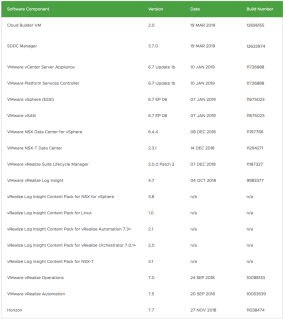
Announcing General Availability of VMware Cloud Foundation 3.7 Today, it’s my pleasure to announce the release of VMware Cloud Foundation 3.7. We’ve introduced a number of new features in this new release, and I’d like to take this opportunity to provide a short overview of some of them. As with every new release of Cloud The post Announcing VMware Cloud Foundation 3.7 General Availability appeared first on Cloud Foundation.


VMware Social Media Advocacy

Upgrading vRealize Automation 7.3.x Distributed Deployment to 7.5

Good Morning All.

In middle of environment upgrade and integrating new components. Its quite tiring but exciting as well to play around with newest technologies. So, in pursuit of building central patch and upgrade management using vRealize LifeCycle Manager, started with vRA upgrade which was pending for quite a while now. New upgrade process is such a breeze and in this blog i will be covering whole vRA upgrade process step by step. So let’s get started.

Continue reading “Upgrading vRealize Automation 7.3.x Distributed Deployment to 7.5”

Objective 1.10 – Describe virtual machine (VM) file structure

In this part of blog, I will be covering file structure of Virtual Machine. What make up a virtual machine and what are important files that you shouldn’t be deleting at all. Well you can delete them but then you can say your virtual machine bye – bye. Jokes aside, let’s jump right into it.

Continue reading “Objective 1.10 – Describe virtual machine (VM) file structure”

Objective 7.1 – Manage virtual networking

It’s been a while since my last bog on configuring virtual networking as I got stuck with some issues and work. I am drafting those issues as part of blog as some were quite interesting. So keep following as more adventure is yet to come. In last blog, we look at how to configure virtual switches. In this part, we will see how to manage virtual networking. How to add new hosts or change existing networking policies? So let’s start.

Continue reading “Objective 7.1 – Manage virtual networking”

Objective 4.5 Configure virtual networking

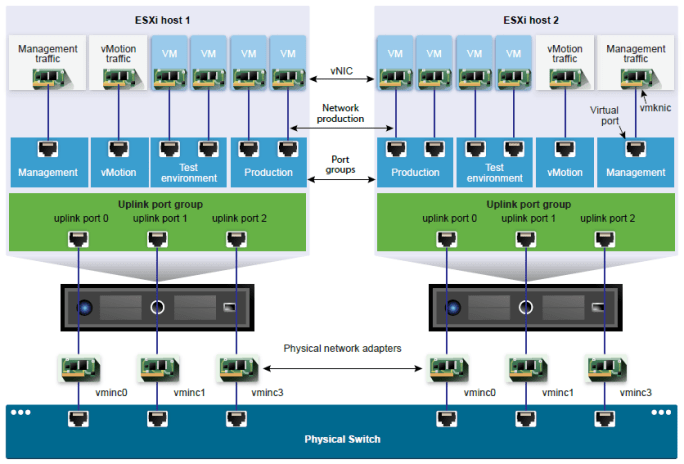
As part of this blog we will look at how to configure virtual networking. This blog covers exam objective 1.8 as well i.e. Differentiate between vSS and vDS.

vSphere 6.7 exam has two objective, one is configuring and other is managing virtual networking. So I will divide this blog in two part series. In part one I will cover basic of virtual networking, how to setup vSphere standard switch and vSphere distributed switch, configuring VMkernel networking and some other topics. In second part of blog we will cover objective 7.1 which talks about managing virtual networking. So let’s jump right into it.

Continue reading “Objective 4.5 Configure virtual networking”

Objective 4.6 – Deploy and configure VMware vCenter Server Appliance (VCSA)

In this blog we will look at how to deploy and configure vCenter server appliance. I am covering these exam objectives in sequence you will configure a vSphere environment, hence i am covering exam objectives back and forth. As part of this blog, we will cover various deployment models of vCenter server, how to deploy VCSA and what are initial configuration that goes in VCSA.

Continue reading “Objective 4.6 – Deploy and configure VMware vCenter Server Appliance (VCSA)”

Objective 4.4 – Set up ESXi hosts

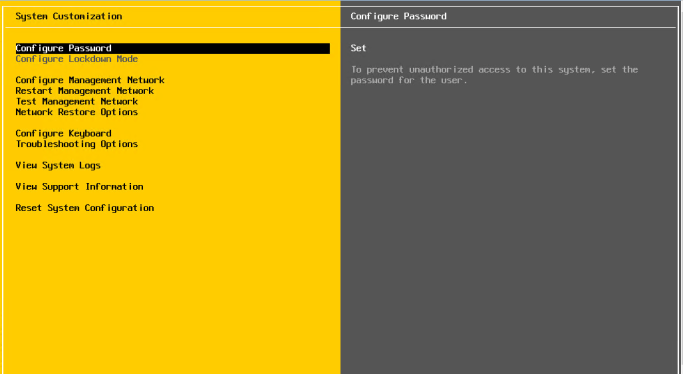
In this blog we will be looking at how to install ESXi, what are different methods to install ESXi and initial configuration after installation. This blog is divided in two sections, first section we will see how to install ESXi and in second section, we will look at configuration. I will only give brief about Auto Deploy as deploying ESXi using Auto Deploy is itself a whole different topic. If you would like to know more about Auto Deploy, let me know in comments and I will cover it as a separate blog. So without wasting any more time, let’s dig right into it.

Continue reading “Objective 4.4 – Set up ESXi hosts”

Objective 1.2 – Identify vCenter high availability (HA) requirements

Continuing to my last blog post series, this blog will cover exam objective 1.2 i.e. identify requirement for vCenter server high availability requirements. VCHA is not covered in any other objective so I will be covering brief overview, deployment scenario and how to configure it in this part of blog. So let’s get started.

Continue reading “Objective 1.2 – Identify vCenter high availability (HA) requirements”